7 Best Vibe Coding Online Courses for 2026 for Programming with AI Tools
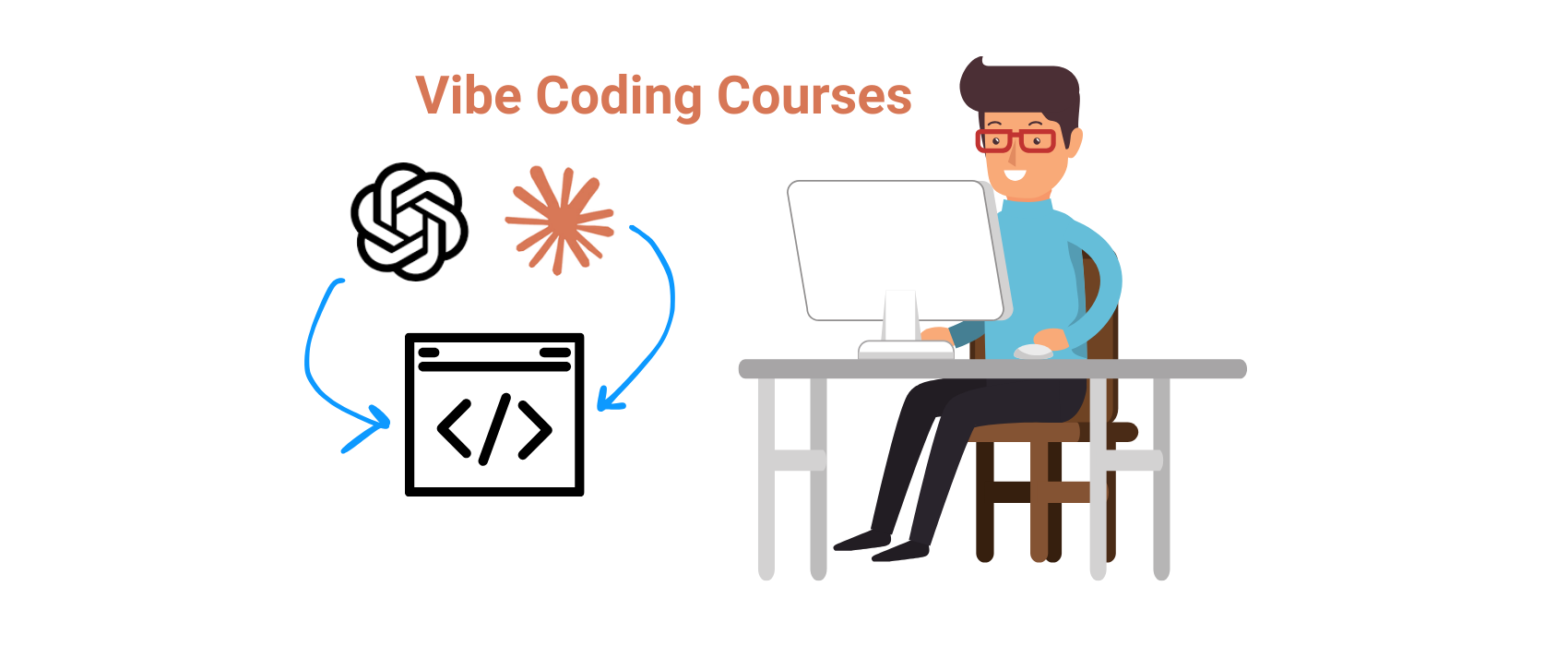
Vibe coding has rapidly grown as one of the most talked-about trends in AI programming for 2025, redefining how software is created by shifting from traditional line-by-line development to an AI-guided, prompt-driven workflow. Coined by AI expert Andrej Karpathy earlier this year, vibe coding lets developers and non-technical learners describe their desired functionality in natural language and rely on advanced models like ChatGPT, Claude, and Cursor to generate working code. This new paradigm is not just a buzzword — it was even named Word of the Year by major dictionaries in 2025, reflecting its cultural and technical impact.
The surge in demand for AI and coding skills is mirrored in broader e-learning trends: the global online education market is projected to reach over $200 billion in 2025, with millions enrolling in AI and software development courses as organizations and individuals invest in upskilling.
As vibe coding platforms and training grow in popularity — from beginner-friendly programs on Udemy with thousands of students enrolled to specialist academies teaching AI-first development workflows — learners increasingly seek hands-on courses that help them leverage AI to prototype, test, and launch applications faster than ever before.
So, let’s explore these best vibe coding online courses by top online learning platforms. Here’s the list of the courses before we dive into the details.
Now, let’s check the details about each vibe coding course for 2026.
1. AI-Assisted Coding for Developers by DataCamp
This is an intermediate-level course focused on AI-assisted coding and prompt engineering. Updated in August 2025, it teaches developers how to effectively use tools like GitHub Copilot and ChatGPT to write, debug, and document code. The course emphasizes practical use of large language models in real development workflows, with hands-on practice guiding AI to generate functions, identify bugs, and improve documentation quality.
Curriculum
The course is structured into three chapters: Unlocking the Power of AI in Code, Prompt Engineering for Real-World Coding Tasks, and Building Robust AI Coding Workflows. It covers choosing the right AI model for different tasks, refining prompts for debugging and test generation, and applying security and ethical guardrails. Learners complete 28 hands-on exercises designed to iteratively improve code using AI suggestions while following secure coding practices.
Price
Subscription-based and included with DataCamp Premium (monthly or annual plans). New users can start with a free account or trial, and the first chapter is often available as a preview. Full access requires an active subscription.
Pros
- Highly up to date and very practical (refreshed mid-2025)
- Dense, hands-on content despite short runtime (~1.5 hours)
- Focuses on real developer tasks (debugging, test creation with AI)
- Highly rated (4.8/5) for clarity and actionable prompt techniques
- Strong emphasis on responsible AI use
Cons
- Requires intermediate Python skills (not beginner-friendly)
- May feel too brief for experienced learners seeking deeper coverage
- Limited project depth and length
- Available only via DataCamp subscription (no one-time purchase)
User Reviews
The course holds an average rating of 4.8/5, with over 85% of learners giving it five stars. Reviews consistently praise the practical, bite-sized lessons and immediately useful prompt examples for Copilot and ChatGPT. A small number of reviewers note they would have liked more advanced scenarios or support for additional programming languages.
Best For: Developers and data scientists with existing Python experience who want to integrate AI into their daily workflow. It’s ideal for those new to AI pair-programming and looking to boost productivity with tools like Copilot, but not intended for absolute beginners to programming.
2. AI For Developers with GitHub Copilot, Cursor AI & ChatGPT by Udemy
This bestselling Udemy course was updated in November 2025 that teaches developers how to integrate multiple AI tools into their everyday coding workflow. Led by Maximilian Schwarzmüller (Academind), the course takes a practical, hands-on approach to using GitHub Copilot with VS Code, alongside external tools like ChatGPT and Cursor. Learners see how to generate, refactor, and improve code with AI, plan projects, and create supporting assets. The course culminates in building a complete REST API using a “full vibe coding” approach, offering realistic, end-to-end experience.
Curriculum
Around 5.5 hours of content covering GitHub Copilot setup, core features, Copilot Chat, and advanced use cases like unit test generation. It also explores Cursor AI, including smart autocompletion, Composer mode, and AI chat for code enhancement. Additional sections focus on using ChatGPT for project planning, research, and asset generation, plus prompt engineering fundamentals for more reliable outputs. The capstone project walks through planning, coding, and debugging a RESTful API with AI assistance at every stage.
Price
Available as a one-time purchase on Udemy. The list price is around $50, but it’s frequently discounted to roughly $15–20. The course includes lifetime access and a completion certificate, with pricing varying based on promotions.
Pros
- Comprehensive and highly practical, built around a cohesive project
- Covers three major AI development tools in one course
- Clear, well-structured instruction from fundamentals to advanced workflows
- Reflects the latest Copilot and Cursor features (late 2025)
- Focuses on real productivity gains (workflow integration, time-saving shortcuts)
- Strong popularity and positive reviews
Cons
- Requires basic programming knowledge and Git/GitHub familiarity
- Not suitable for absolute beginners
- Some topics covered at a high level due to broad scope
- Primarily taught in JavaScript/TypeScript and VS Code, requiring adaptation for other stacks
User Reviews
Rated 4.5 out of 5 with over 5,000 reviews. Learners frequently praise the practical focus, concise explanations, and real-world demos. The REST API project is often highlighted as a standout feature that clearly shows how Copilot and ChatGPT can work together in real development scenarios. Minor feedback includes requests for more advanced configurations or additional projects, but overall sentiment is very positive.
Best For: Developers and coding students with a basic programming background in JavaScript or Python who want to quickly understand how AI can enhance development workflows. It’s ideal for those curious about tools like Copilot and Cursor and how to apply them in real projects. While accessible to intermediate beginners, experienced developers can also benefit from learning efficient ways to combine existing skills with AI to boost productivity.
3. Mastering Generative AI for Software Development by edX (IBM)
This is a comprehensive intermediate course (~17 hours) by IBM on edX, updated in late 2025, designed for experienced developers looking to elevate their software development with generative AI. The course explores how AI can assist across the software lifecycle—from code generation and prototyping to bug detection and optimization—while emphasizing responsible and ethical use. It teaches you to build AI-powered solutions and integrate tools like ChatGPT and GitHub Copilot into real development workflows at an advanced level.
Curriculum
This in-depth course, part of IBM’s Generative AI for Software Developers certificate, is delivered across multiple modules and covers practical applications of generative AI throughout the software development lifecycle. It explores AI-powered code generation and prompting with LLMs, AI-assisted design and prototyping for faster UI and architecture creation, and the use of AI for debugging, refactoring, and performance optimization. The course also addresses security and ethical considerations, helping learners understand the limitations of AI-generated code and how to use it responsibly.
The course is highly practical, with multiple labs and projects such as creating chatbots with ChatGPT APIs, generating and troubleshooting code using GitHub Copilot, producing test cases with AI, and completing a final project that demonstrates AI integration. By the end, learners gain portfolio-ready projects and hands-on experience applying AI throughout a software project.
Price
The course is free to audit on edX, giving full access to all materials with an edX account. A verified certificate costs around $49 USD. Financial aid is available for those who qualify.
Pros
- Comprehensive coverage of the generative AI ecosystem in software development.
- Strong practical component with real-world labs, including AI-assisted CI/CD pipelines and Dockerfile generation.
- Grounded in professional development practices, including integration into workflows, cost, performance, and privacy considerations.
- IBM-backed content, ensuring credibility and up-to-date material.
- Approximately 17 hours of content provide robust, career-relevant training.
Cons
- Not suitable for casual learners or absolute beginners; requires intermediate coding skills.
- Some sections may feel dense due to the course’s breadth.
- Limited user feedback, as it is newly launched.
- Verified certificate requires payment, which may be a consideration for some.
User Reviews
Initial feedback from a small cohort is positive, highlighting its comprehensive and up-to-date content. Learners praise the hands-on labs and IBM’s industry insights. While reviews are limited, related IBM AI courses average a 4.3/5 rating, suggesting similar quality. The course is building a strong reputation as a high-quality offering.
Best For: Intermediate to advanced developers—software engineers, ML/AI practitioners, or tech leads—looking to apply generative AI across the development cycle. Ideal for those familiar with Copilot or ChatGPT who want to build job-ready AI skills, automate coding tasks, and integrate AI into testing and design. Also valuable for software architects and project managers seeking to understand AI integration in projects. Not recommended for beginners or those seeking a brief introduction.
4. GitHub Copilot: The AI Pair Programmer for Coding by Coursera
This short Coursera course (around 3 hours) was created by Edureka and released in 2024, with updates continuing through 2025. It introduces GitHub Copilot and explains how it enhances the software development process as an AI “pair programmer.” The course covers Copilot’s core concepts, how it understands code context, and how it generates suggestions, with practical examples showing how to integrate it into real-world development workflows.
Curriculum
A single-module course that moves from fundamentals to practical application. Topics include what GitHub Copilot is and how it works, supported languages and IDE integration (such as VS Code), and how Copilot compares to tools like ChatGPT. Learners explore key features like code completion, code explanation, function generation, and an overview of Copilot’s limitations. Real-world examples demonstrate how Copilot can assist with prototyping, debugging, writing tests, and documentation. The course wraps up with short knowledge checks and a summary, delivered through roughly 15 brief videos, several readings, and a small number of light assignments.
Price
Free to audit on Coursera, with full access to course content available at no cost (without a certificate). A paid option is available for those who want a certificate, typically around $49, or included with a Coursera Plus subscription. Financial aid options are also available.
Pros
- Beginner-friendly and quick to complete
- Ideal for a fast introduction to GitHub Copilot
- Well-structured and easy to follow
- Quizzes reinforce key concepts
- Strong focus on responsible AI use (privacy, security, best practices)
- Requires only basic programming knowledge
Cons
- Too high-level for experienced Copilot users
- More introductory than comprehensive (~3 hours)
- Limited hands-on coding exercises
- Minimal coverage of advanced Copilot features
User Reviews
Holds an average rating of 4.2 out of 5 based on learner feedback. Beginners often describe it as a strong starting point, praising the clear explanations of Copilot’s capabilities and limitations. Some mid-range reviews note that the quizzes and depth could be improved, but overall sentiment frames it as a solid introductory course for understanding AI-assisted coding.
Best For: Those new to AI-assisted development, including students, junior developers, and professionals with basic programming experience who haven’t used GitHub Copilot before. It’s also useful for managers or team leads who want a structured overview to evaluate Copilot’s potential. Experienced Copilot users, however, will likely find the course too introductory and may need more advanced resources.
5. Intro to Vibe Coding by Codecademy
This is a beginner-focused course released in 2025 that introduces the concept of “vibe coding,” where AI tools generate code from natural language prompts. Codecademy’s Intro to Vibe Coding, launched in mid-2025, teaches when and how to use AI-assisted coding tools effectively, from brainstorming ideas to building simple applications from scratch. A key emphasis is responsible use: learners are encouraged to understand the code they generate rather than becoming overly reliant on AI. The course blends AI-assisted workflows with foundational coding principles, helping learners build good habits from the start.
Curriculum
A short, interactive course of roughly one hour, made up of two lessons, quizzes, and a hands-on project. The first lesson, What Is Vibe Coding?, introduces the concept, its background, best practices for prompting, and using AI to brainstorm project ideas. The second lesson, Vibe Coding Basics, explores tools in the vibe coding ecosystem, such as using AI features within the Cursor IDE, and guides learners through building a simple application with AI assistance. The included project focuses on ideating and starting a small web app using an AI coding tool, giving learners direct experience generating, refining, and evaluating AI-written code.
Price
Offered under Codecademy’s freemium model. The course can be started for free, but full access to all lessons, projects, quizzes, and the certificate of completion requires a Codecademy Pro subscription. Pro plans are available monthly or annually, with a free trial option.
Pros
- Extremely beginner-friendly; no AI or prompt engineering experience required
- Assumes only minimal coding knowledge
- Interactive, in-browser coding with guided practice and instant feedback
- Balanced approach: when to use AI vs. write code manually
- Includes a practical real project using an AI-enabled IDE
- Clear, concise, and well-reviewed as a fast introduction to AI-assisted coding
Cons
- Very brief (~1 hour) with no deep coverage of advanced topics
- Designed as a primer, not a comprehensive program
- Too basic or slow-paced for experienced programmers
- Learners with zero coding background may need additional fundamentals
- Projects and certification require a paid subscription
User Reviews
Feedback is strongly positive among beginners, with an average rating around 4.6 out of 5. Learners often report increased confidence in starting projects with AI assistance and value the hands-on nature of the course. Common praise centers on the guided project and practical exposure to AI tools. Some users with more experience note they would have liked a longer course or a more complex project, but overall satisfaction is high for an introductory offering.
Best For: Coding beginners or early-stage self-taught developers who want a structured introduction to AI-assisted development. It’s ideal for anyone curious about “vibe coding” and eager to try building something with tools like ChatGPT or Cursor while still learning to understand the underlying code. Advanced developers already comfortable with AI coding tools may not gain many new techniques, but could still find value in the course’s focus on best practices and responsible AI use.
6. AI Pair Programming with GitHub Copilot by LinkedIn Learning
This is a project-based introduction to coding with GitHub Copilot, released in April 2025. This 1.5-hour LinkedIn Learning course, taught by Ronnie Sheer, shows how to use Copilot as an AI pair programmer by building a small full-stack application. Learners work through realistic scenarios, using natural-language prompts to generate and refine code, from creating a REST API and unit tests to implementing a simple front end. The course focuses on integrating Copilot into everyday development workflows and understanding how to guide it effectively for different tasks, including boilerplate generation and debugging.
Curriculum
Structured around a hands-on project, the course begins with an introduction to GitHub Copilot, responsible usage, and basic code completions. It then moves into building a simple web application step by step. On the backend, learners use Copilot to design a data model, implement a REST API, and write unit tests. The front-end section demonstrates generating client-side code and styles while highlighting Copilot’s strengths and limitations in UI work. The course concludes with best practices for using Copilot’s chat and agent modes. Content is delivered through roughly 15 demo-focused videos, supported by short assessments to reinforce key concepts.
Price
Available through a LinkedIn Learning subscription, typically priced at around $39 per month, with a one-month free trial often available. Many public libraries provide free access to LinkedIn Learning. Completion includes a LinkedIn certificate. There is no standalone purchase option.
Pros
- Highly practical and beginner-friendly
- Strong emphasis on learning by doing
- Shows Copilot in a real development environment
- Step-by-step feature building (not slide-based)
- Balanced coverage across backend, frontend, testing, and styling
- Reflects current features (Copilot Chat, agent mode)
- Concise and easy to complete (~90 minutes)
- Supports playback speed control and downloadable exercise files
Cons
- Too basic for developers already comfortable with Copilot
- Simple example project limits advanced use cases
- Assumes prior web development knowledge (HTML, JavaScript, Express.js)
User Reviews
Holds an average rating of 4.6 out of 5 on LinkedIn Learning. New Copilot users frequently describe the course as eye-opening and confidence-building, especially praising the clear explanations and realistic demos. Reviews often highlight the thoughtful discussion of both the benefits and limitations of AI-assisted coding, including ethical and responsible use. More experienced developers note that while it didn’t introduce many new techniques, it reinforced solid best practices.
Best For: Programmers who are new to AI coding tools and want hands-on experience with GitHub Copilot. It’s well suited for learners with basic coding skills in Python or JavaScript who understand the fundamentals of web applications and prefer a practical, project-driven approach. The course is also useful for team leads onboarding junior developers to Copilot, helping them become productive quickly.
7. [new] Vibe Coding Camp by Designlab
Vibe Coding Camp is a live, instructor-led online intensive by DesignLab focused on teaching designers, product managers, and early-stage builders how to turn static designs into functional, AI-assisted web applications. The course emphasizes modern “vibe coding” workflows using AI tools to bridge the gap between design and development, even for learners without a traditional coding background. The first public cohort is scheduled to launch on February 24, 2026, and runs as a short, high-intensity program rather than a long bootcamp.
Curriculum
The curriculum is delivered over four weeks and combines live instruction with hands-on homework. It starts with setting up an AI-powered development environment and building an initial interactive interface using conversational prompts. From there, learners move into translating Figma designs into real code, learning how front-end structure, components, and styling work in practice. The third phase introduces backend fundamentals such as databases, authentication, and basic CRUD operations using Supabase. The course concludes with deploying a complete mini-application to production, giving students experience with real hosting, live data, and user interaction rather than static prototypes.
Price
The listed price for Vibe Coding Camp is $999, with an early-enrollment discount commonly advertised at $899 for initial cohorts. The price includes access to all live sessions, session recordings, and the community workspace. External tools used during the course, such as premium AI coding environments or paid design plans, are not included in the tuition and may involve additional costs.
Pros
- Strong focus on AI-assisted development workflows that reflect how many modern teams experiment with coding today
- Emphasis on shipping a real, deployed application, not just mockups or demos
- Designed to be accessible for non-developers, especially designers and PMs
- Live instruction and cohort format provide structure and accountability
- Certificate of completion that can be added to portfolios or professional profiles
Cons
- Learning curve can feel steep for students with zero technical background, especially during debugging
- Course relies on third-party tools that may require additional subscriptions
- Limited independent reviews specific to Vibe Coding Camp due to its newness
- Some broader DesignLab reviews mention inconsistent mentor experiences, depending on cohort
User Reviews
Because Vibe Coding Camp is a relatively new offering, direct reviews are still limited. However, feedback from Reddit and other community discussions about DesignLab programs in general is mixed. Positive comments often highlight structured curricula, supportive communities, and accountability through live sessions. More critical reviews point out that outcomes can vary by mentor and that students should be comfortable with self-directed learning. Several Reddit users also note that DesignLab courses tend to be most effective for learners who already have a clear goal, such as building a product or expanding an existing skill set, rather than those expecting a guaranteed career outcome.
Best For: Vibe Coding Camp is best suited for product designers, UX professionals, and product managers who want to move beyond static prototypes and understand how real applications are built. It also fits founders and early-stage builders who want to quickly validate ideas by shipping working products without committing to a full traditional coding bootcamp. Learners who are curious about AI-first development workflows and are comfortable experimenting, iterating, and learning through hands-on practice will get the most value from the course.